

Students
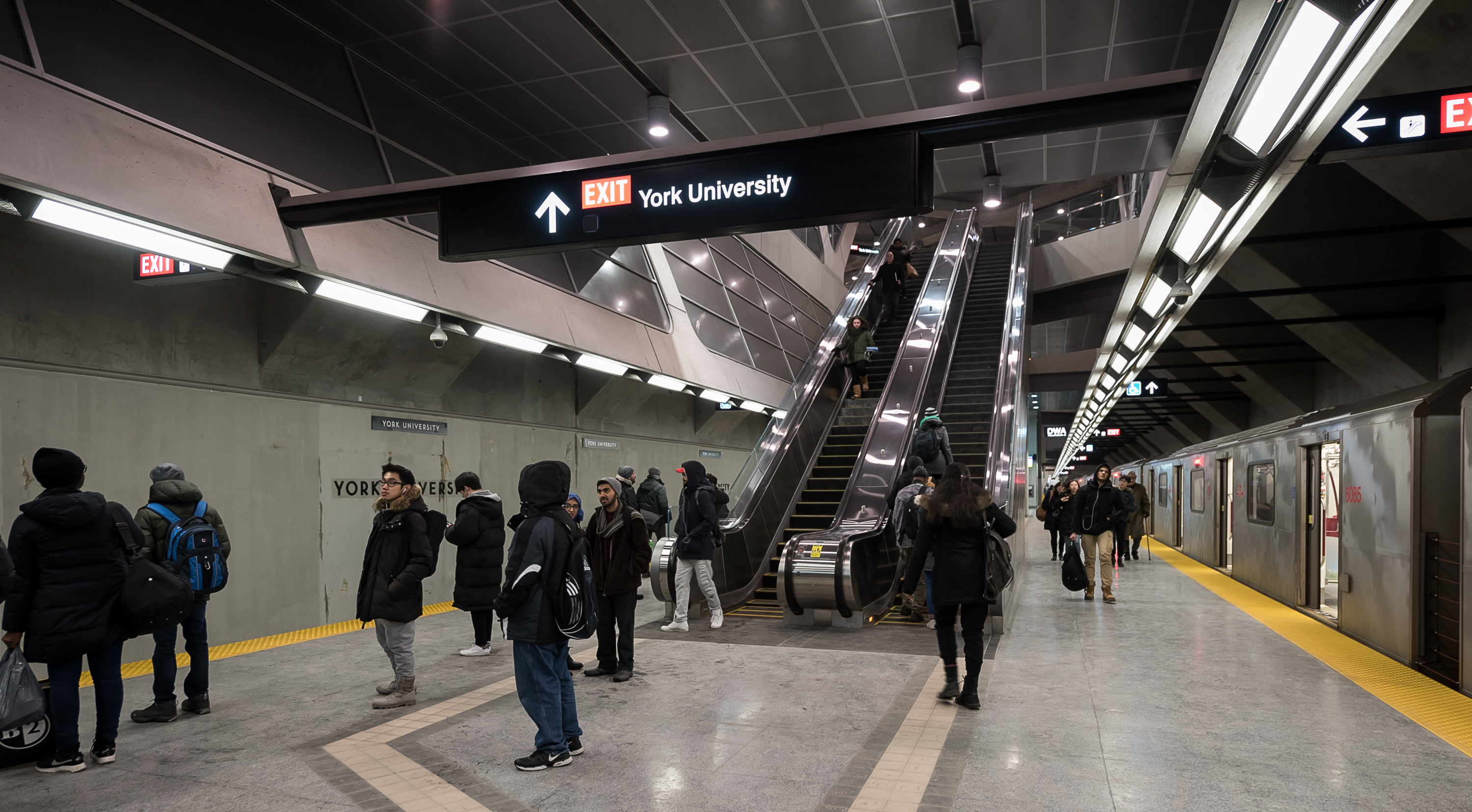
On this page:
Youth and post-secondary student fares
Students may be eligible for youth or post-secondary fares depending on their age and school status. To learn more, visit Fare types and discounts.
Children 12 and under travel for free.
Monthly fare capping is here
Monthly fare capping gives eligible customers the value of a monthly pass without needing to buy one in advance. Once you reach the 47-fare cap, the rest of your trips on the TTC in that calendar month are free.
Youth fares paid with a PRESTO card count toward monthly fare capping when you tap the same PRESTO card every time. Adult fares paid with a PRESTO card, Interac® Debit card or credit card (including mobile wallet) also count toward the monthly fare cap.
TTC Youth Monthly and Youth 12-Month Passes were discontinued on August 31, 2026. The TTC Post-Secondary Monthly Pass is still available for eligible post-secondary students.
| Fare type | Youth (13-19) | Post-secondary student |
|---|---|---|
| Pay-as-you-go cash | $2.40 | $3.35 |
| Pay-as-you-go-PRESTO | $2.35 | $3.30 |
| Interac® Debit or credit card (including mobile wallet) | $3.30* | $3.30* |
| TTC Post-Secondary Monthly Pass | N/A | $128.15 |
*Youth fares are not available when paying by Interac® Debit or credit card, including mobile wallet. Youths who want to pay the youth fare should use a PRESTO card with the Youth fare type set or pay the Youth cash fare.
Please note: A TTC Post-Secondary Photo ID Card is required to use a TTC Post-Secondary Monthly Pass. Post-Secondary pay-as-you-go fares are the same as Adult fares.
Photo ID and proof of age
-
Children 12 and under
Children 12 and under travel for free.
Child Proof-of-Age Cards are available for children who are tall for their age. Children can show this card to an Operator or Customer Service Agent to confirm they can travel for free.
Cards are available from the school office or by calling TTC Customer Service at 416-393-3030.
-
Youths 13 to 19
Youths ages 16 to 19 must carry one of the following when travelling on the TTC:
- High school photo ID
- Driver’s license
- Ontario Photo Card
Be prepared to show your ID to a TTC employee if asked during your trip.
-
Post-secondary students
Post-secondary students who want to buy a TTC Post-Secondary Monthly Pass need a TTC Post-Secondary Photo ID Card.
Post-secondary students who are 19 years of age or younger are eligible for the youth fare. You do not need to set a post-secondary fare type on your PRESTO card or buy a TTC Post-Secondary Monthly Pass until you turn 20.
How to pay your fare
You can pay your TTC fare with a PRESTO card (physical or mobile wallet), PRESTO ticket, Interac® Debit or credit card (including mobile wallet) or cash. The fare you are charged depends on how you pay and whether your PRESTO card has the correct fare type set.
Important payment information for students
- Youth fares are only available when using a PRESTO card with the Youth fare type set or when paying the Youth cash fare.
- Youth PRESTO tickets are only available through schools or approved bulk sales programs.
- If you are eligible for a Youth fare and tap an Interac® Debit or credit card, including mobile wallet, an Adult fare will be charged.
- Youth fares paid with the same PRESTO card count toward monthly fare capping.
- If you use Interac® Debit or credit card, including mobile wallet, you must use the same card or device every time for your trips to count toward the same monthly fare cap.
- Post-Secondary pay-as-you-go fares are the same as Adult fares. Eligible post-secondary students can use a TTC Post-Secondary Monthly Pass with a valid TTC Post-Secondary Photo ID Card.
More information is available on the Fares and passes page.
-
Get a PRESTO card
You can buy a physical PRESTO card for $4 at:
- Fare Vending Machines in subway stations and Line 5 Eglinton and Line 6 Finch West stations.
- Shoppers Drug Mart or participating Customer Service Outlets.
- Online at prestocard.ca.
You can also load a digital PRESTO card in your mobile wallet for free if you are 13 years of age or older.
-
Set a youth or post-secondary fare type on PRESTO
PRESTO cards are set to deduct an Adult fare by default.
If you are eligible for a Youth fare, you need to set the Youth fare type on your PRESTO card before you ride to be charged the Youth PRESTO fare.
Post-secondary pay-as-you-go fares on the TTC are the same as Adult fares. Post-secondary students need a TTC Post-Secondary Photo ID Card to buy and use a TTC Post-Secondary Monthly Pass.
To change the fare type on your PRESTO card, bring government ID or your TTC Post-Secondary Photo ID Card to a Shoppers Drug Mart or participating Customer Service Outlet.
-
Load your PRESTO card
You can load funds or an eligible pass by:
- Using the PRESTO App (available for free on the Google Play or Apple App stores)
- Visiting prestocard.ca
- Setting up Autoload or, where available, Autorenew
- Using a Fare Vending Machine at a station
- Visiting Shoppers Drug Mart or a participating Customer Service Outlet
TTC Post-Secondary Monthly Passes are available from the last 12 days of the month until eight days after the start of the next month.
-
Tap every time you ride
Tap your PRESTO card, PRESTO Ticket, Interac® Debit, credit card or mobile device every time you board a vehicle on the street or enter a station.
Your fare gives you two hours to travel on the TTC from your first tap without being charged another fare.
To ensure your fare counts toward the monthly fare cap, you must tap the same payment method every time. Once you reach the 47-fare cap, the rest of your trips on the TTC in that calendar month are free.
You must continue to tap every time you board a vehicle or enter a station, even after reaching the monthly fare cap. Your tapped card or device is your Proof-of-Payment.
Under the One Fare Program, you only pay once when transferring between the TTC and Brampton Transit, Durham Region Transit, GO Transit, MiWay and York Region Transit if you are within the transfer window.
-
Using a Youth PRESTO Ticket from your school
Tap your PRESTO Ticket when you board a vehicle on the street or enter a station.
You have two hours to travel from your first tap before your ticket expires.
Please note: Youth PRESTO tickets are only available through schools or approved bulk sales programs.
-
Proof-of-Payment
A tapped PRESTO card, PRESTO Ticket, Interac® Debit or credit card (including mobile wallet) or paper transfer is your Proof‑of‑Payment (POP).
If you have reached the monthly fare cap, your tapped card or device is still your Proof-of-Payment. You must continue to tap every time you board a vehicle or enter a station.
If you pay by cash, get a paper transfer:
- On buses: ask the Operator for a transfer
- On streetcars: use the onboard Fares and Transfers Machine
- In subway stations: use the red Transfers machine
- On Line 5 Eglinton and Line 6 Finch West surface stations: use the Fares and Transfers Machine (coins only) on the platform
Keep your Proof-of-Payment with you. You may be asked to show it to a TTC employee during your trip. Learn more about Proof-of-Payment and fare inspection.
How to ride the TTC
Riding the TTC is easy. Plan your trip, check for service updates, pay your fare, and follow signs or announcements to your destination.
-
Before you go
Before leaving:
- Plan your trip using the TTC Trip Planner or the Transit app.
- Check Live Service Alerts and Service Advisories to make sure your route is clear.
- Sign up for MyTTC e-Services to receive real-time email updates about service disruptions.
-
Riding a bus or streetcar
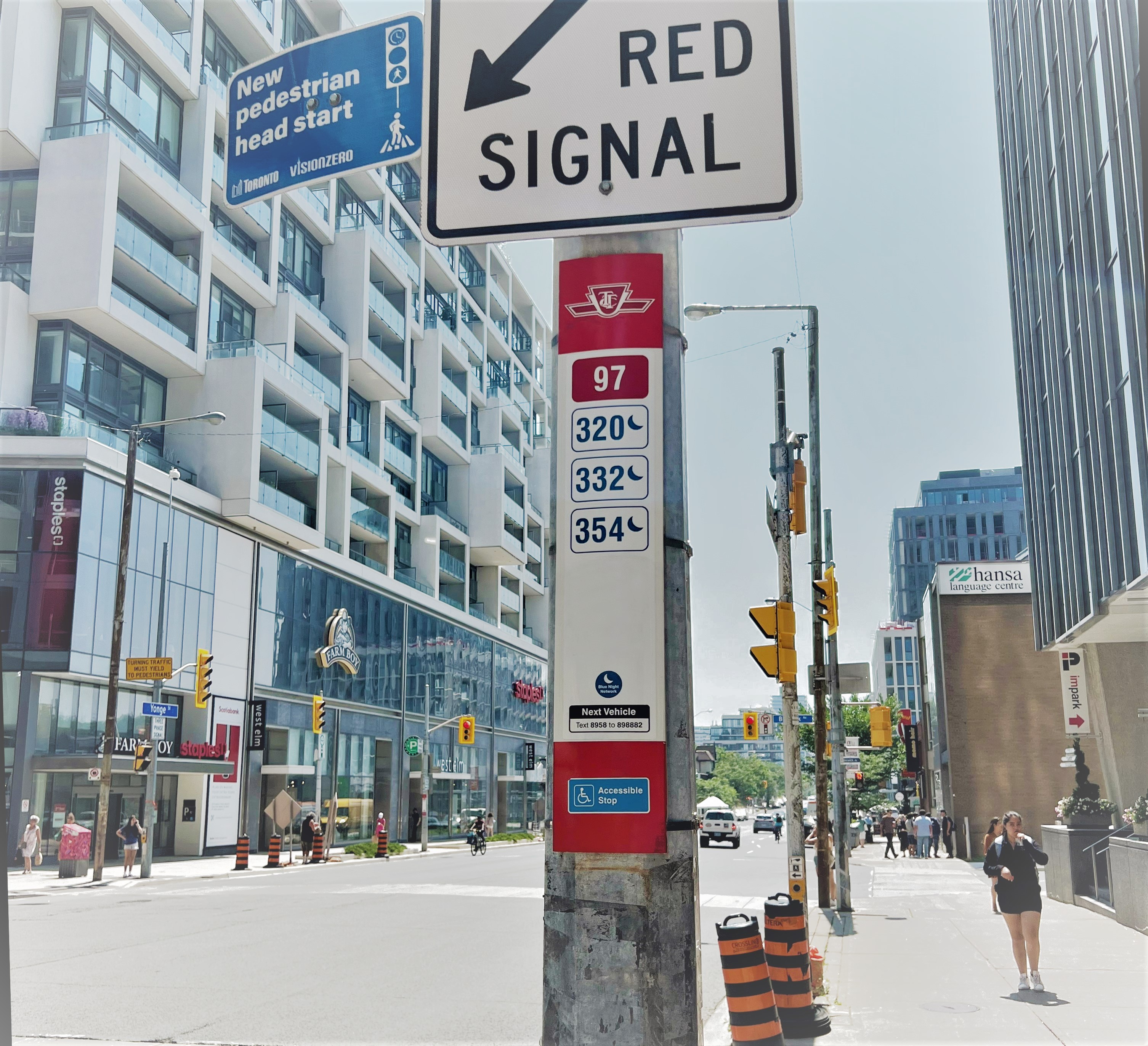
1. Find your stop
You can board a bus or streetcar at a stop on the street or at a subway station.
You can find bus and streetcar stops using the Transit app or by checking the stop ID number on the Routes and schedules page.
2. Board the bus or streetcar
Wait at the stop and make sure the Operator can see you.
3. Pay your fare
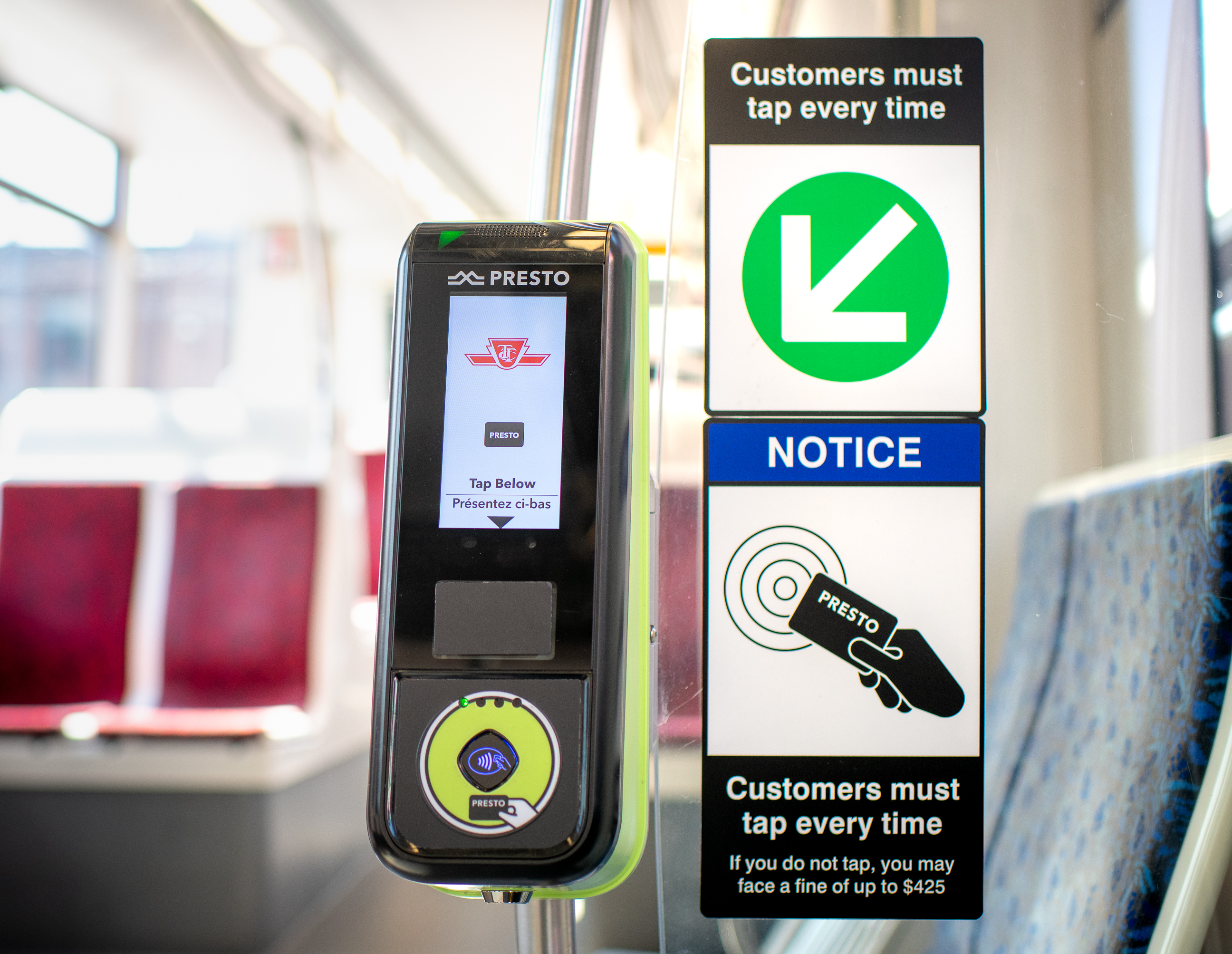
On a bus, tap your PRESTO card (physical or mobile wallet), PRESTO ticket, Interac® Debit, credit card or mobile device on the reader inside the front door. If paying with cash, deposit exact cash into the fare box and ask the Operator for a paper transfer.
On a streetcar, tap your PRESTO card (physical or mobile wallet), PRESTO ticket, Interac® Debit, credit card or mobile device on a reader near the doors. If paying with cash, use the Fares and Transfers Machine to deposit exact cash and get a paper transfer.
4. While on board
Find a seat or hold a handrail. Keep your belongings close and out of the aisle.
5. Get off at your stop
Pull the yellow cord or press the red stop button when your stop is next. Exit through the rear doors when possible so others have room to board.
-
Riding the subway
1. Enter the station and pay your fare
Tap your PRESTO card (physical or mobile wallet), PRESTO ticket, Interac® Debit, credit card or mobile device on a fare gate.
If paying by cash, deposit exact cash into the fare box beside the Collector booth and get a paper transfer from the Transfers Machine.
Follow signs to your platform.
2. Wait safely
Stand behind the yellow line. Let passengers exit the train before boarding.
If you drop something on the tracks, do not try to get it. Speak to a TTC employee for help.
3. While on board
Find a seat or hold a handrail. Listen for announcements and watch displays for upcoming stops.
4. Exit or transfer
When your stop is next, move toward the doors. Follow signs to exit the station or transfer to another subway line, LRT, bus or streetcar.
-
Riding the Line 5 Eglinton and Line 6 Finch West LRT
Line 5 Eglinton and Line 6 Finch West are light rail transit routes. Unlike buses and streetcars, there is no fare payment on board. You must pay before you board and keep your Proof-of-Payment with you during your trip.
1. Find your station or stop
Use the Routes and Schedules page or the Transit app to find the Line 5 or Line 6 station or stop closest to you.
2. Pay before you board
At an underground station, tap your PRESTO card (physical or mobile wallet), PRESTO ticket, Interac® Debit, credit card or mobile device on the fare gate. If paying with cash, deposit exact cash into the fare box and get a paper transfer.
At a surface station, tap your PRESTO card (physical or mobile wallet), PRESTO ticket, Interac® Debit, credit card or mobile device on the PRESTO Reader before boarding. If paying with cash, use the Fares and Transfers Machine on the platform and take a paper transfer.
PRESTO Reader Fares and Transfers Machine Fare Vending Machine 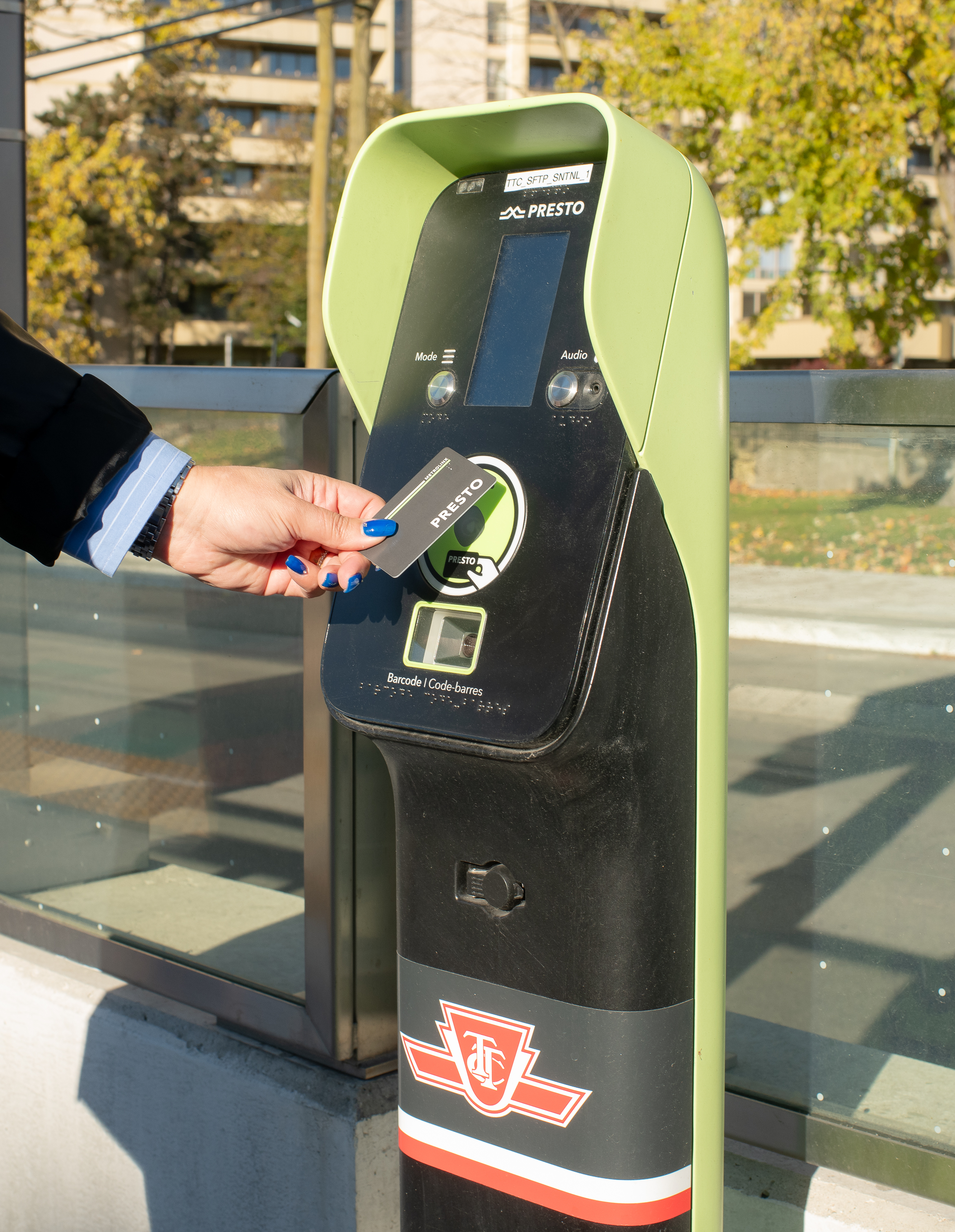
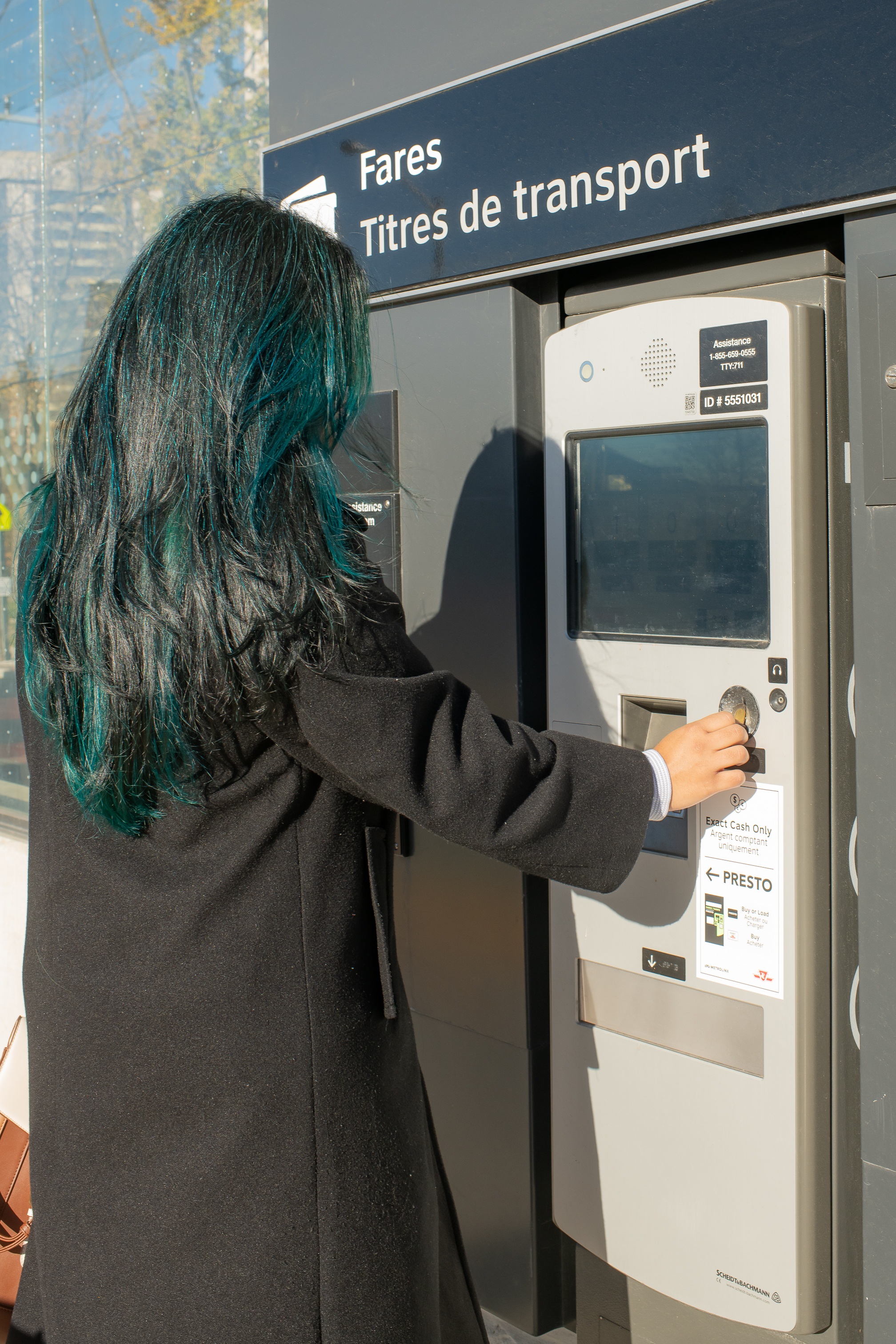
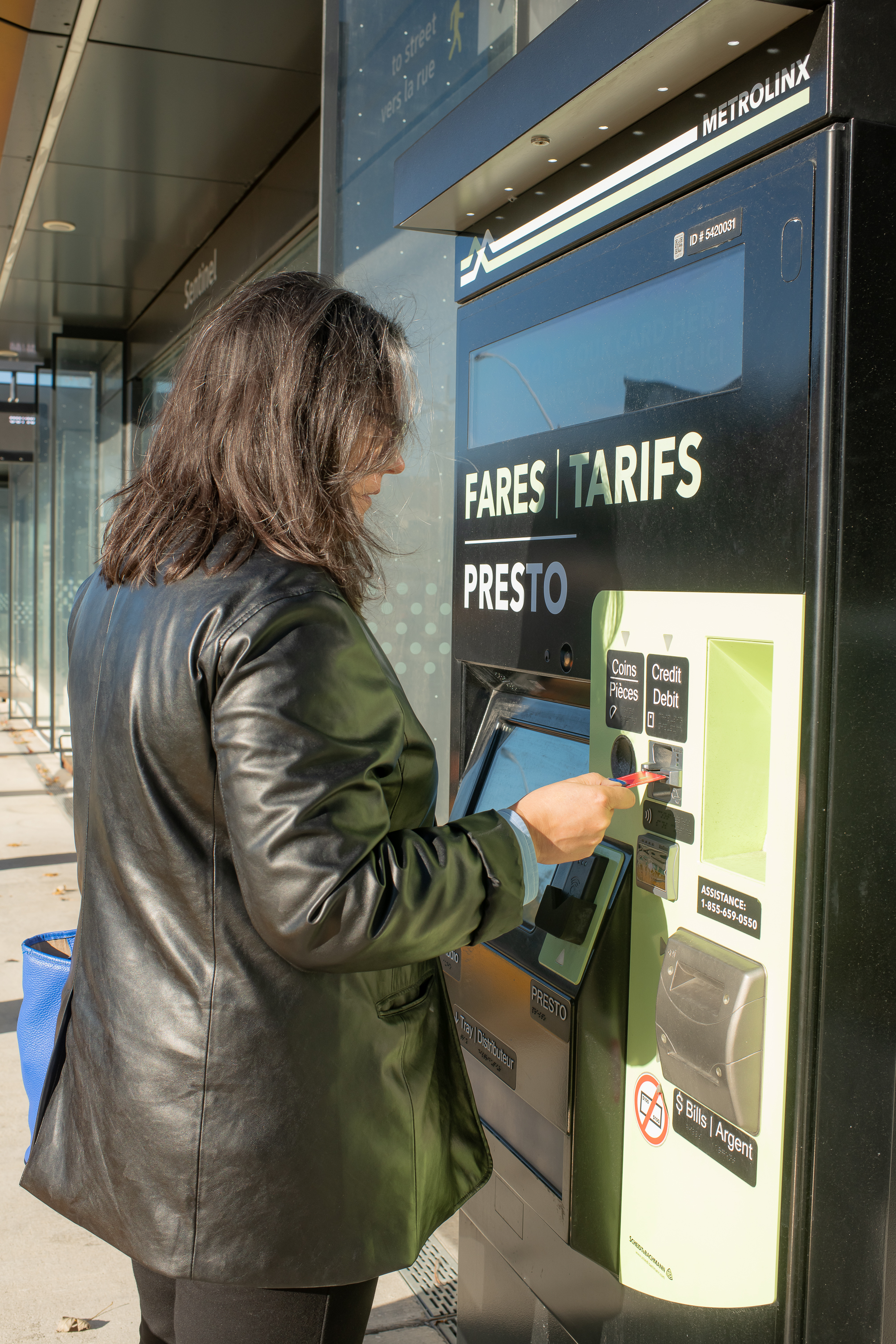
Tap PRESTO, PRESTO Ticket, Interac® Debit, credit card, or mobile wallet.
Pay cash and get a paper POP/transfer. Buy or reload PRESTO products. Your tapped card, ticket, mobile device or paper transfer is your Proof-of-Payment.
3. Board the LRT
Wait for the LRT to arrive and let passengers exit before you board.
4. While on board
Find a seat or hold onto a handrail. Listen for announcements and watch the digital displays for upcoming stops.
5. Get off at your stop
When your stop is next, move toward the doors. Exit the LRT and follow signs to leave the station or connect to another TTC route.
Safety tips
Follow these tips to help make your trip safe and smooth.
- Stay behind the curb at bus and streetcar stops.
- Do not run alongside or in front of a bus or streetcar. It is safer to wait for the next vehicle.
- When boarding a bus or streetcar on the street, cross only at intersections or pedestrian crossings.
- Obey all crossing signals and stay visible to drivers.
- Check that traffic has stopped before exiting a streetcar.
- Stay behind the yellow line while waiting for a subway train.
- Never try to board or exit a vehicle when the doors are closing.
- Never go down onto the subway track. If you drop something, tell a TTC employee.
If you need help
If you need help at any point in your journey, TTC employees and safety features are available throughout the system.
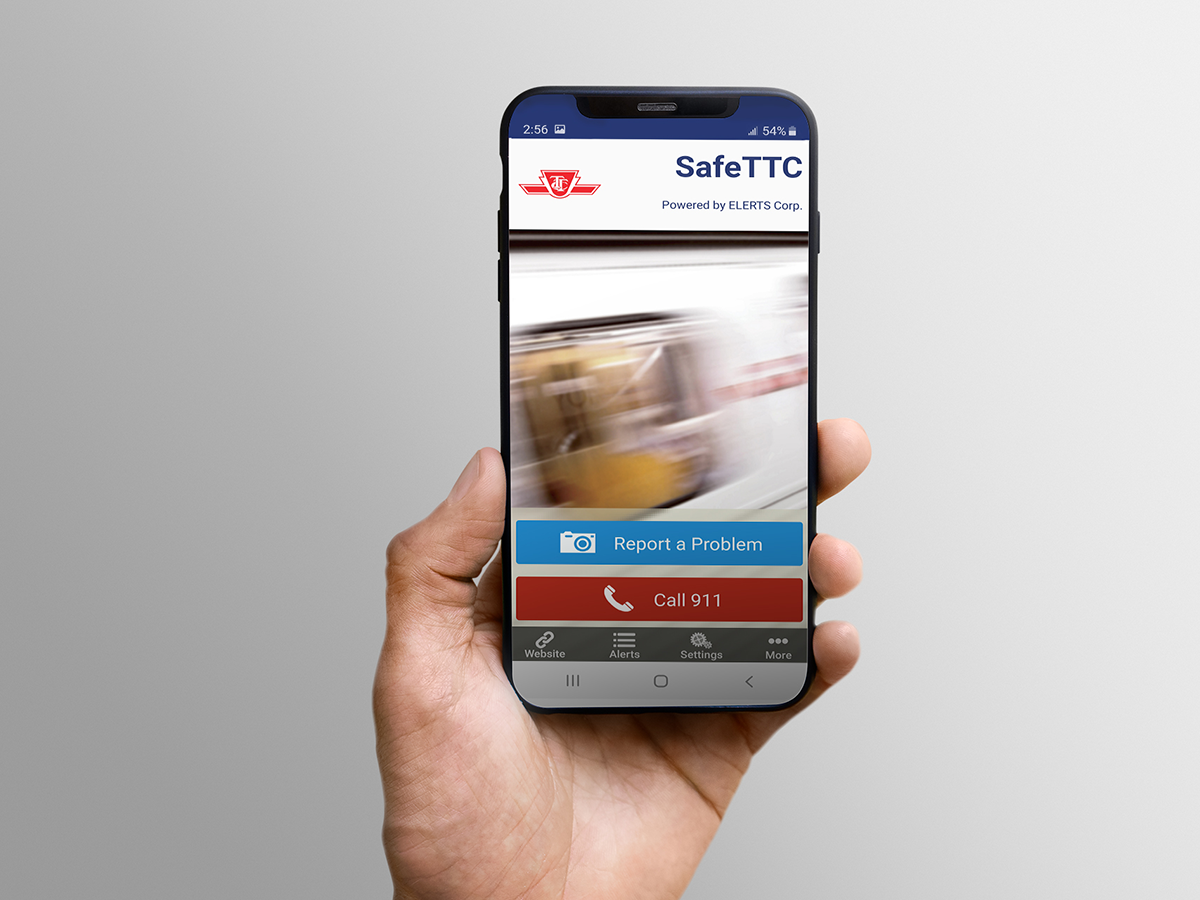
Before you travel, download the SafeTTC app for free from the Apple App or Google Play stores. The mobile app offers a quick and discreet method for reporting harassment, safety concerns or suspicious activity directly to the TTC’s Transit Control Centre.
-
Go to a Designated Waiting Area
Every TTC subway station has a Designated Waiting Area on the platform.
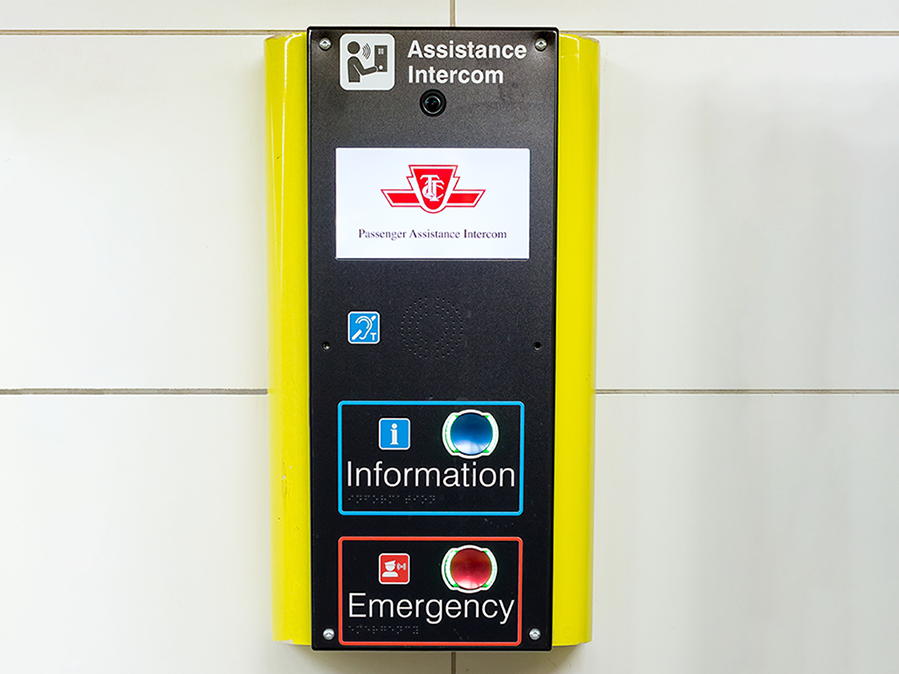
Designated Waiting Areas include:
- A Passenger Assistance Intercom to speak with a TTC employee
- CCTV cameras
- Extra lighting
- A telephone
-
Use the Emergency Alarm on a subway train
If you feel unsafe or need police, fire or emergency medical help, push the yellow Emergency Alarm inside the subway train.
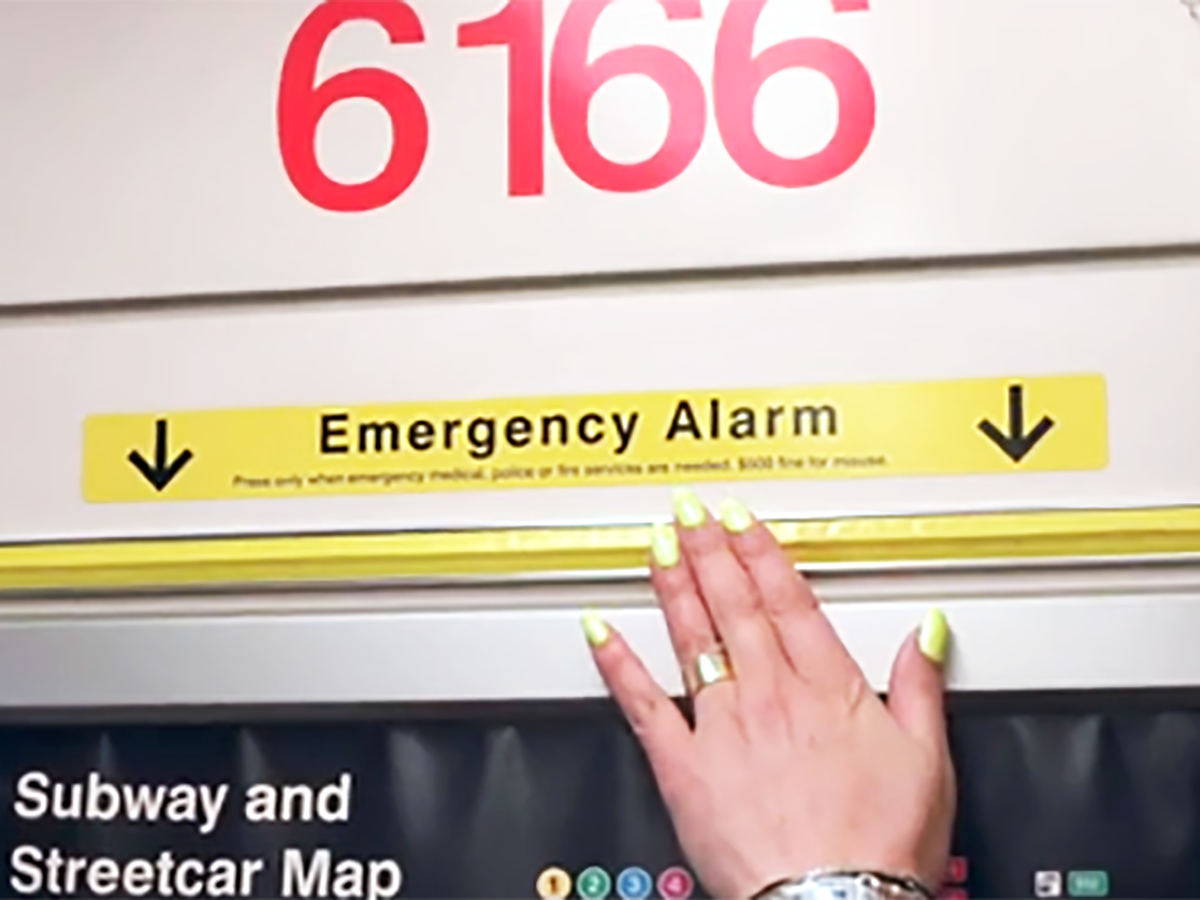
The Operator and Transit Control will be notified. The train will travel to the closest station, where a TTC employee will come to assist.
-
Speak to a TTC employee
TTC employees can be identified by their uniform and TTC crest.
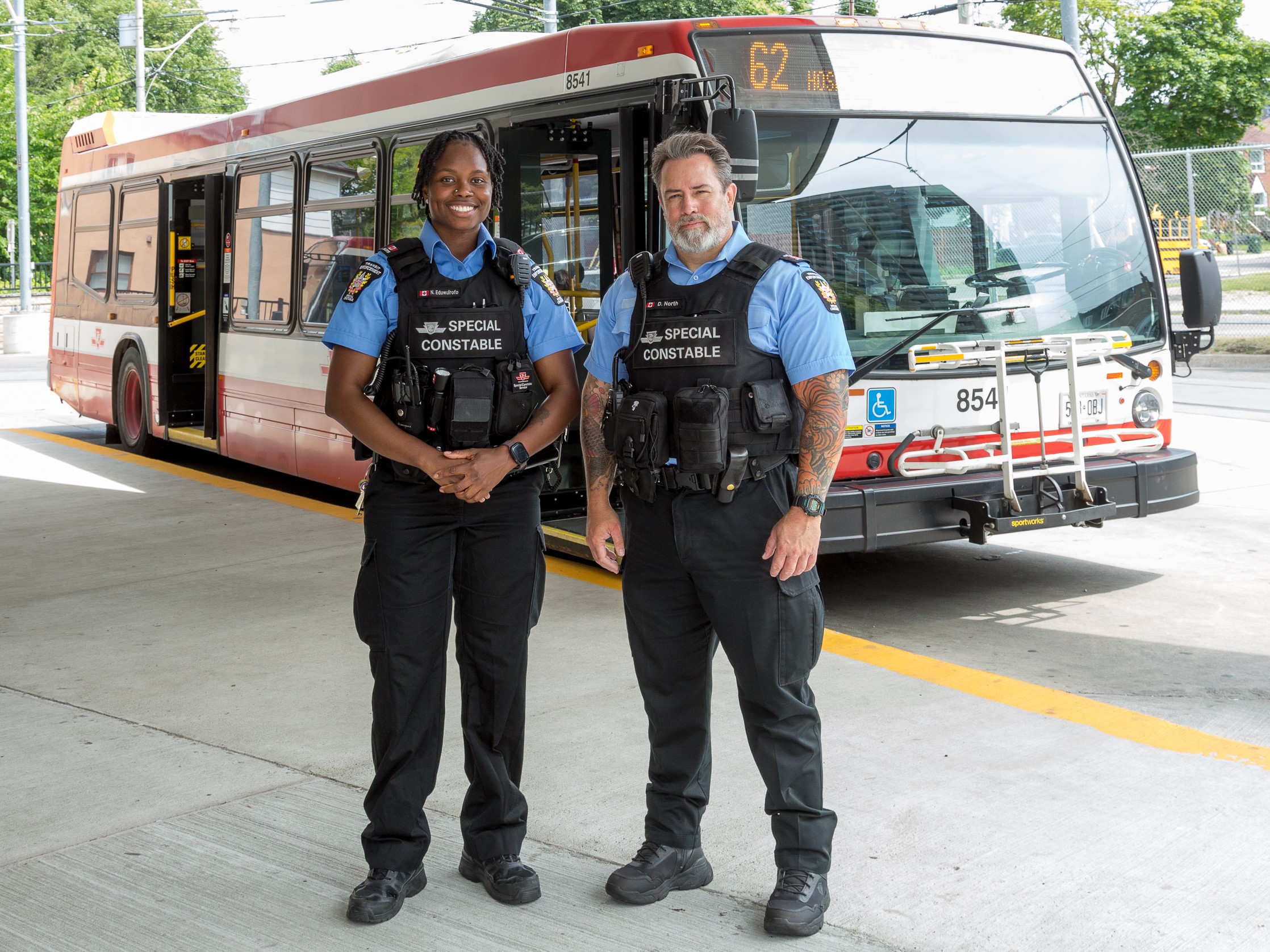
Employees who can help include:
- Operators on buses, streetcars and subways
- Customer Service Agents at station fare lines
- Supervisors
- Mobile Supervisors
- Special Constables
- Provincial Offences Officers
- Maintenance staff, including janitors and service persons
Transit etiquette
Small actions can make everyone’s trip better.
- Let others exit before you board.
- Move to the back of the bus or streetcar, or toward the centre of the subway train.
- Do not block doors or aisles.
- Let people using mobility devices board first.
- Offer Priority Seating to anyone who needs it, including people with disabilities, seniors and pregnant persons. Remember that not all disabilities are visible.
- Take off your backpack and place it on your lap or on the floor.
- If travelling in a group, keep conversations quiet.
- Use headphones when listening to music or talking on your phone and lower your headphone volume in stations so you can hear announcements.
- Keep your belongings with you.
- Do not leave litter behind.
-
Bikes on the TTC
You can rack your bike on the front of a TTC bus any time of day.
Bikes and e-bikes are only allowed on board TTC vehicles if space allows during off-peak hours:
- Monday to Friday before 6:30 a.m.
- Monday to Friday between 10 a.m. and 3 p.m.
- Monday to Friday after 7 p.m.
Lost something?
If you lose something on a TTC vehicle or in a station, visit the Lost Articles Office at Bay Station or call 416-393-4100.
Stay connected
Get service updates, route information, and TTC news before and during your trip.
- Check ttc.ca for Service Alerts.
- Follow @TTCnotices or @TTChelps on X for service information.
- Sign up for route-specific MyTTC e-Alerts.
- Download the Transit app on Google Play or the App Store for next vehicle information.
- Download the SafeTTC app on Google Play or the App Store to report safety concerns or suspicious activity discreetly.
- Follow the TTC on Facebook and Instagram.